



Fundus

One Inbox for everything you follow

A Mac app for RSS feeds, podcasts, YouTube channels and folders of your own audio and video. Coming soon.

Release notes
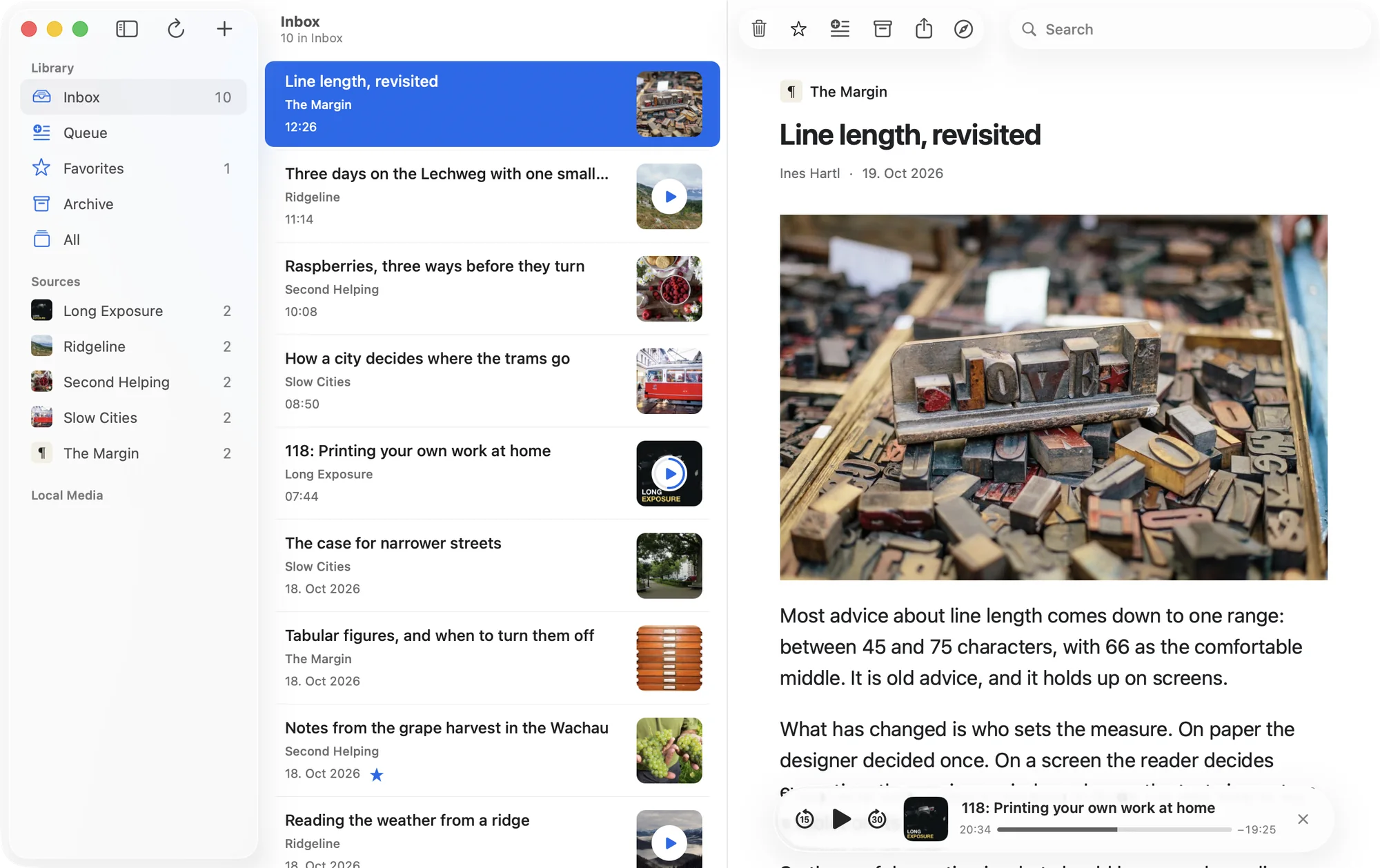
The Fundus window: an Inbox of ten items from five sources, the article “Line length, revisited” open beside it, and a podcast episode paused at 20 minutes 34 seconds.

Follow blogs, podcasts and YouTube channels, save single pages, or add folders of your own audio and video.

Paste a link. Fundus finds the feed.

Add Source recognizes the link as you paste it and tells you what it will add.

Links from Apple Podcasts, Overcast, Deezer, SoundCloud, Medium and Reddit work too, and so does a site’s own address.

The Add Source sheet with the link github.com/Ranchero-Software/NetNewsWire. It reads: GitHub project. Adds its releases.

Clear the Inbox with three keys

S queues an item for later, A archives it for reference and ⌫ dismisses it. F marks a favorite without moving anything. You can change every key in Settings.

The last step of Getting Started, “A few keys keep Inbox moving”: Add a Source ⌘N, Search Library ⌘F, Dismiss Item Delete, Queue for Later S, Favorite F, Archive A.

Queue is one list for what you want to read, watch or listen to next, whichever source it came from.

The Queue in Fundus: three articles, a video and a podcast episode, one from each of five sources.

Dismissing doesn’t delete. A dismissed item stays in your library and in search, and U brings anything back to the Inbox.

A search for “apricot” finds a dismissed post from Second Helping and shows it in full.

Your library stays on your Mac

SELECT i.title, s.name
FROM items i
JOIN sources s USING (sourceID)
JOIN itemWorkflow w USING (itemID)
WHERE w.queued = 1
ORDER BY w.queuedUpdatedAt DESC
LIMIT 3;

Bridges that were built for people first     Slow Cities
Better coffee at home without a new grinder  Second Helping
A small desk for focused writing             The Margin

A SQLite file you can read

Your library is one database, Library.sqlite. Query a copy with SQL, or give it to an agent.

SQLite guide

Fundus Settings, iCloud: Sync Library with iCloud is off. Status: Sync is off. Your Library remains available on this Mac.

No account to create

Fundus works locally and offline. iCloud sync stays off until you turn it on, and then uses your own private iCloud database.

The Fundus player paused 20 minutes and 34 seconds into episode 118 of Long Exposure, Printing your own work at home.

Picks up where you stopped

Podcasts, YouTube videos and your own files remember their position. YouTube plays without overlays or recommendations.

Your files stay where they are

Add a folder of audio or video and Fundus plays it in place. It never moves or deletes the originals.

Export whenever you like

Your sources as OPML, and your saved links and the items you acted on as readable files. For a complete copy, follow the backup guide.

Questions

  • RSS, Atom and JSON feeds, podcasts, YouTube channels and playlists, single links, and folders of audio and video files. You can also import an OPML file.

  • Your library, stored articles and local files work offline. Fetching new items and streaming online media need a connection.

  • It leaves the Inbox and stays in your library and in search. You can move it back at any time.

  • No. Fundus works on one Mac with sync off. Turn sync on and it uses your own private iCloud database. There is no Fundus account.

  • Yes, in testing now. It will be released after the Mac app.

  • Macs with macOS 15 or later, Apple silicon or Intel.

  • Sven Schnieders. Fundus is built on NetNewsWire, the open-source reader by Brent Simmons and the Ranchero Software community.

More in the docs and on the support page.

Coming soon
for Mac

The first release runs on macOS 15 or later, on Apple silicon and Intel. The release notes list every test build so far.

Release notes
The first step of Getting Started: Welcome to Fundus. One personal Library for everything you want to read, watch, or listen to.